{
  "screen": "YouTube — Home",
  "elements": [
    { "id": 1, "type": "button",
      "text": "Search" },
    { "id": 2, "type": "tab",
      "text": "Shorts" },
    { "id": 3, "type": "video",
      "text": "How AI agents..." }
  ],
  "situation": "screen_changed"
}
What the AI sees
{
  "action": "tap",
  "element": 2,
  "reasoning": "Navigate to
    Shorts tab to explore
    short-form content"
}

> Tapped element #2 "Shorts"
> Screen changed: YouTube Shorts
> 4 new elements detected
What the AI does
Eyes and Hands for AI Agents
on Mobile Devices
Give Claude Desktop, Cursor, or Windsurf direct control of Android devices and iOS simulators. Any app on the phone becomes a tool your AI agent can use — read the screen, tap, type, swipe.
Claude Code (always latest)
Works on macOS (Apple Silicon & Intel) and Linux. Auto-detects ADB and Xcode. Full setup guide →
See Drengr in Action
Real demos on a real device. No scripts, no rehearsals. The AI agent navigates YouTube autonomously, adapting to obstacles in real-time.
Self-Evolving Agent
3:17The agent hits a wall -- YouTube's custom renderer blocks the UI tree, returning 0 elements. Instead of failing, it evolves: pauses the video with KEYCODE_MEDIA_PAUSE to stop animations, which lets uiautomator dump the full UI tree. 29 elements recovered. It then double-taps to skip forward, expands the description, opens Key Concepts, and taps the first concept card.
When standard approaches fail, the agent adapts its strategy in real-time. No hardcoded fallbacks -- genuine problem-solving.
Shorts Navigation
1:32The agent navigates to YouTube Shorts and swipes through multiple short-form videos -- tech content, motivation, a Mandalorian clip, comedy -- demonstrating fluid swipe interactions on a fast-scrolling feed.
Full swipe, scroll, and gesture support. Drengr handles the kinetic interactions that make mobile apps unique.
Framework-Blind: Vision + Pixel-Touch
0:18A torture test: the entire screen is a single HTML5 canvas with zero accessibility elements — exactly like a Flutter app, a game, or an in-app webview, where element-finding is blind. Drengr reads the screenshot, locates the yellow target by sight, and taps it by coordinate — twice, wherever it randomly respawns — then draws a heart in one continuous coordinate path. No element tree, ever.
When there's no accessibility tree, Drengr falls back to pure vision + pixel-touch. The floor that makes it work on any app, not just the ones that cooperate.
Now on iOS
The same eyes and hands on iOS simulators -- vision-first, framework-blind, running fully headless inside CoreSimulator.
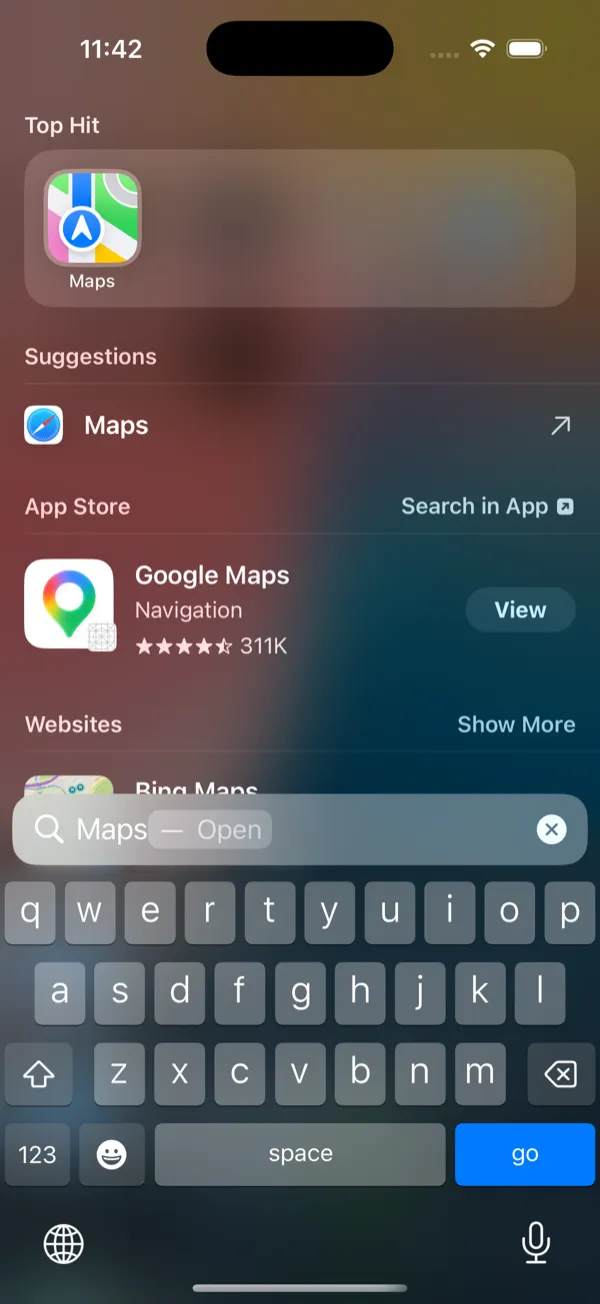
Types into Spotlight
Real keyboard input into the focused field -- "Maps" typed, live results.
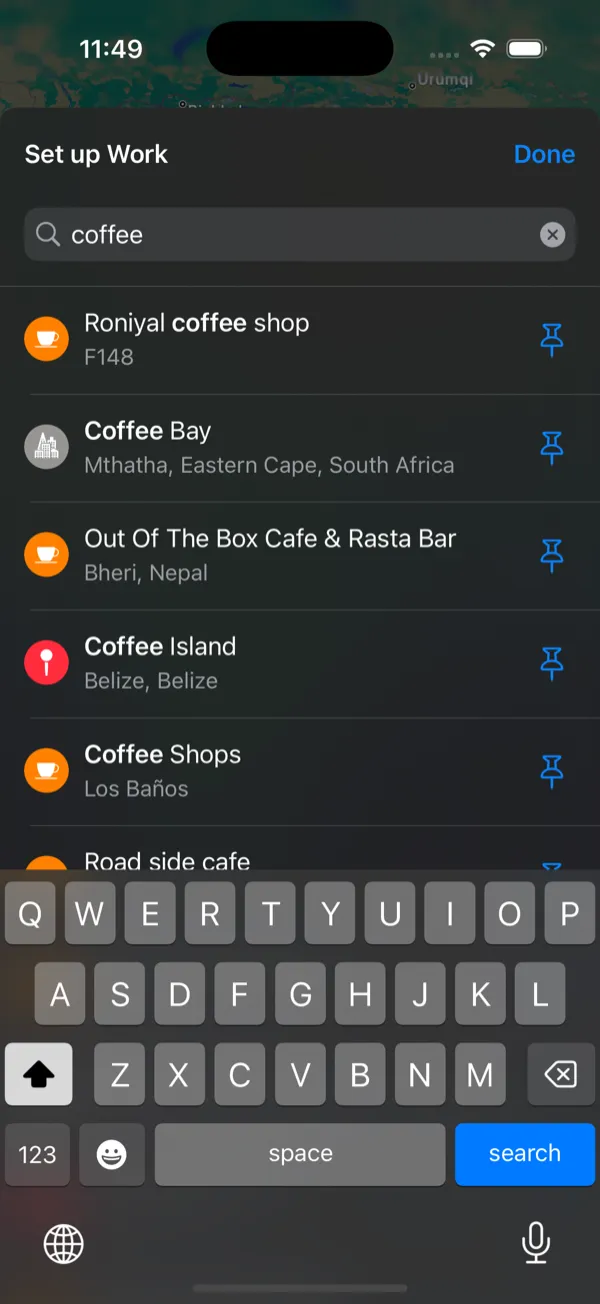
Searches inside apps
Drives the in-app search field -- "coffee" in Apple Maps, results render.
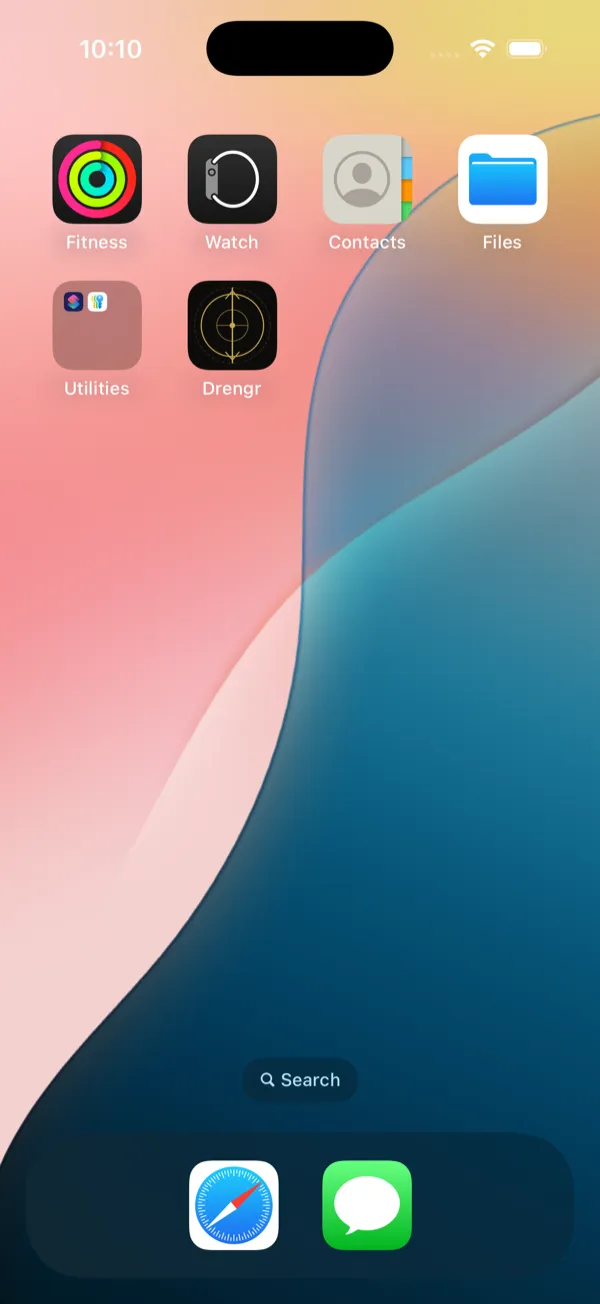
Branded on-device
The Drengr runner installs headless on the simulator -- nothing to wire up.
How It Works
Drengr exposes 3 MCP tools. The LLM is the brain, Drengr is the body. Each tool call is a single JSON-RPC message over stdio.
drengr_lookCaptures a screenshot and parses the UI tree. Returns numbered, interactive elements with their text, type, and bounds.
// AI agent calls drengr_look
{
  "screen": "YouTube - Home",
  "elements": [
    "[1] Search (EditText)",
    "[2] Trending (Tab)",
    "[3] 'MCP Server Explained' (Video, 497K views)",
    "[4] IBM Technology (Channel)",
    // ...26 elements
  ]
}Situation EngineTracks what changed since the last action: new elements, disappeared elements, screen transitions, crashes, stuck detection.
// Situation report (automatic)
{
  "screen_changed": true,
  "activity": "com.youtube.app/.HomeActivity",
  "new_elements": ["[3] Video card", "[4] Channel"],
  "disappeared": [],
  "crash_detected": false,
  "stuck": false
}drengr_doThe AI decides the next action and Drengr executes it: tap, type, swipe, scroll, press keys, go back, go home.
// AI agent calls drengr_do
{
  "action": "tap",
  "element": 3  // Tap video [3]
}

// Or more complex actions:
{ "action": "type", "element": 1, "text": "mcp server" }
{ "action": "swipe", "direction": "up" }
{ "action": "key", "code": "KEYCODE_MEDIA_PAUSE" }drengr_queryRead-only queries without side effects. Check element state, read text content, verify screen conditions.
// AI agent calls drengr_query
{
  "query": "text_content",
  "element": 5
}
// Returns: "The Mandalorian and Grogu | Official Trailer"

{
  "query": "element_state",
  "element": 2
}
// Returns: { "enabled": true, "selected": false }
Works With Any MCP Client
Drengr uses the Model Context Protocol (MCP) -- the open standard for connecting AI agents to tools. Add one JSON config and every MCP client gains mobile device control.
{
  "mcpServers": {
    "drengr": {
      "command": "/usr/local/bin/drengr",
      "args": ["mcp"],
      "env": {
        "ANDROID_HOME": "/your/android/sdk"
      }
    }
  }
}
Run drengr setup --client {name} to auto-generate this config with your actual paths and ANDROID_HOME.
Agent-Native Architecture
Purpose-built primitives for LLM-driven device control. Each capability maps directly to what autonomous agents need to perceive and act on mobile interfaces.
3 MCP Tools
drengr_look to observe, drengr_do to act, drengr_query to read. Three tools cover the entire mobile interaction surface.
Situation Engine
Tracks screen_changed, activity_changed, crash detection, stuck detection, and element diffs between actions.
Text-Only Mode
Compact text scene uses ~300 tokens vs ~100KB for screenshots. 100x cheaper. Vision only escalates when needed.
Single Binary
Written in Rust. Compiles to a single static binary with no runtime dependencies. LTO-optimized for size.
OODA Loop
Standalone autonomous mode via drengr run. The Observe-Orient-Decide-Act loop works without an MCP client, using your own LLM for reasoning and vision.
Multi-Platform
Android via ADB, iOS via simctl, cloud devices via Appium. One interface for every device type.
Explore Mode
BFS app exploration that automatically taps every interactive element and builds a navigation graph.
Network Monitoring
Correlate API calls with screen actions. See network traffic in HAR format alongside the agent's UI interactions.
Bring Your Own LLM
No vendor lock-in. Standalone mode works with OpenAI, Gemini, Anthropic, Groq, Together, Fireworks, or local Ollama. Your keys, your models.
Coming Soon
Actively in development. These features are planned but not yet shipped.
Cloud Devices
First-class support for BrowserStack and Sauce Labs via Appium WebDriver. Test on real cloud devices.
SDK
Android (Kotlin) and iOS (Swift) SDKs for in-app network event interception. Correlate API calls with screen actions.
CI/CD Ready
JUnit XML output via drengr test --format junit. Drop into any CI pipeline — GitHub Actions, GitLab CI, Jenkins.
YAML Test Suites
Define test scenarios in YAML. Run them with drengr test. Outputs human-readable or JSON results.
Drengr Dashboard
Real-time run viewer, API correlation, AI insights, and trends. A Next.js app currently in development.
Real-time Steering
Pause and resume agents from the dashboard. Override prompts mid-run. Full human-in-the-loop control.
Multi-Consumer Tracking
See which MCP client is controlling the device — Claude Desktop, Cursor, Windsurf, or Claude Code.
From the Lab
Research notes, engineering deep dives, and honest reflections on building AI-device interaction tooling.

Sharmin Sirajudeen
Solo founder & engineer
When I saw AI agents writing flawless code but unable to tap a single button on a phone, I knew someone had to bridge that gap. Drengr is that bridge — a single Rust binary that turns any AI into a mobile-native agent. Android emulators, iOS simulators, cloud device farms. One tool. Zero dependencies. Unlimited possibilities.